BrewBat beta
Pro brewing,
simplified.
Great beer without the chemistry degree. Tell BrewBat what you want to brew and what you brew on, and it works out the rest: the recipe, the water, the mash pH and the volumes, from what real brewers do.
BrewBat is in closed beta. Enter your email and we'll be in touch when there's room.
Log in or join the beta
Already have an account? We'll email you a link to sign in. New here? We'll add you to the beta waitlist.
How it works
A few answers in, a great beer out
You don't need to know what a mash pH is, or how much gypsum an IPA wants. BrewBat asks for the little only you know, and does the brewing science itself.
-
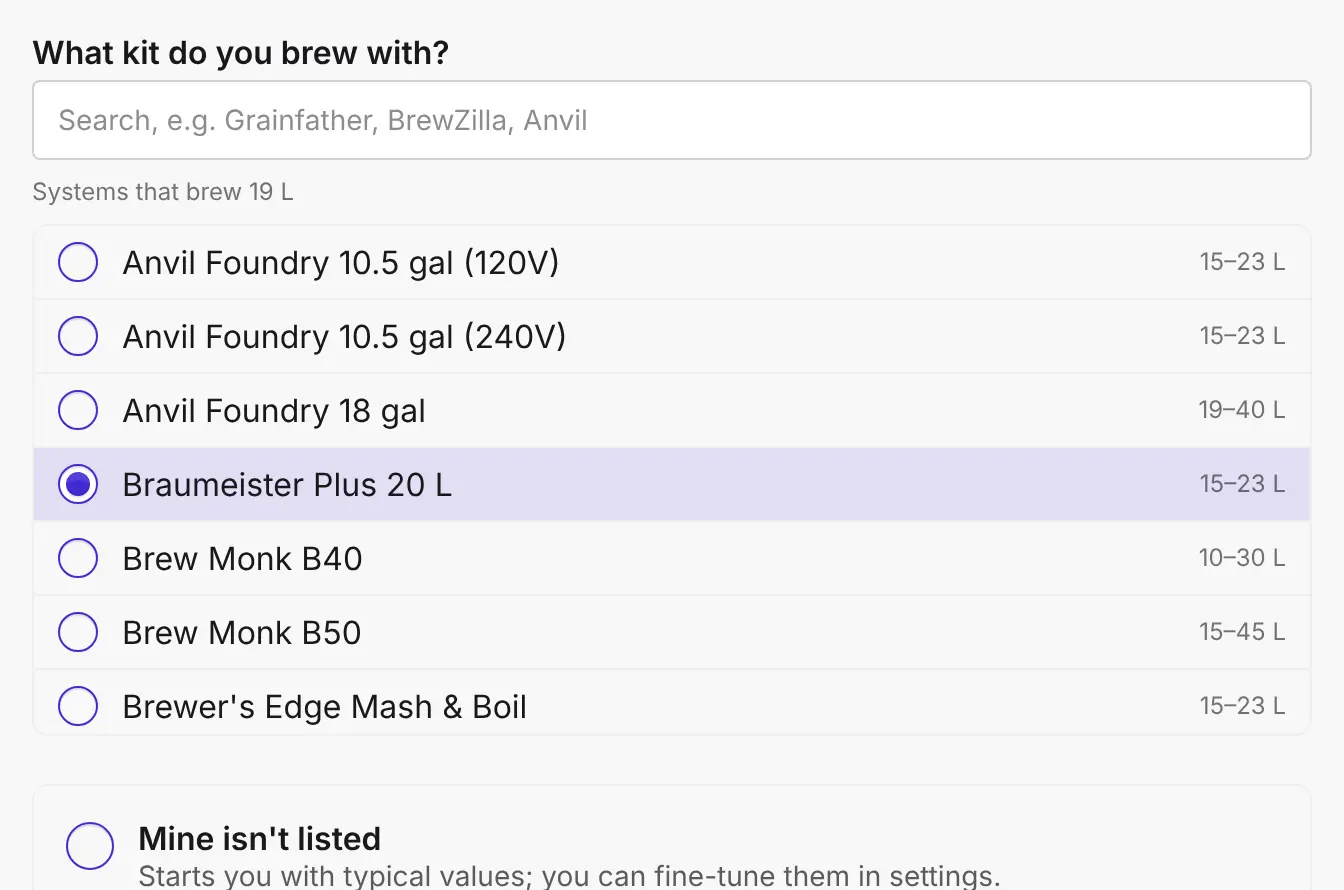
Tell us about your kit
Pick your system from the 50 we know, and tell us where you brew. That sorts your volumes and your tap water, with no water report needed.
-
Pick a beer
Choose a style, or let your shelf decide. BrewBat writes the whole recipe: grain, hops, yeast, mash, fermentation and water.
-
Brew, and it learns
Note a reading or two on brew day. If you're off, BrewBat says what to do, and it tunes itself to your kit for next time.
Data-driven automation
Built on real brewing, not guesswork
Every recipe BrewBat writes starts from what brewers actually do: the grain bills, hop rates, yeasts and water of more than 125,000 recipes. Style Match checks yours against them, and Auto fix brings it back when it drifts. The decisions a seasoned brewer makes by feel, BrewBat makes from the numbers, and shows you why.
- published homebrew recipes behind the numbers
- 125,000+ published homebrew recipes behind the numbers
- water reports, so you don't need your own
- 3,000+ water reports, so you don't need your own
- malts and sugars
- 1,000+ malts and sugars
- hops, with what they taste of
- 440+ hops, with what they taste of
- yeasts and how they ferment
- 1,200 yeasts and how they ferment
- brewing systems, set up for you
- 50 brewing systems, set up for you
From a style
A few clicks from a good beer
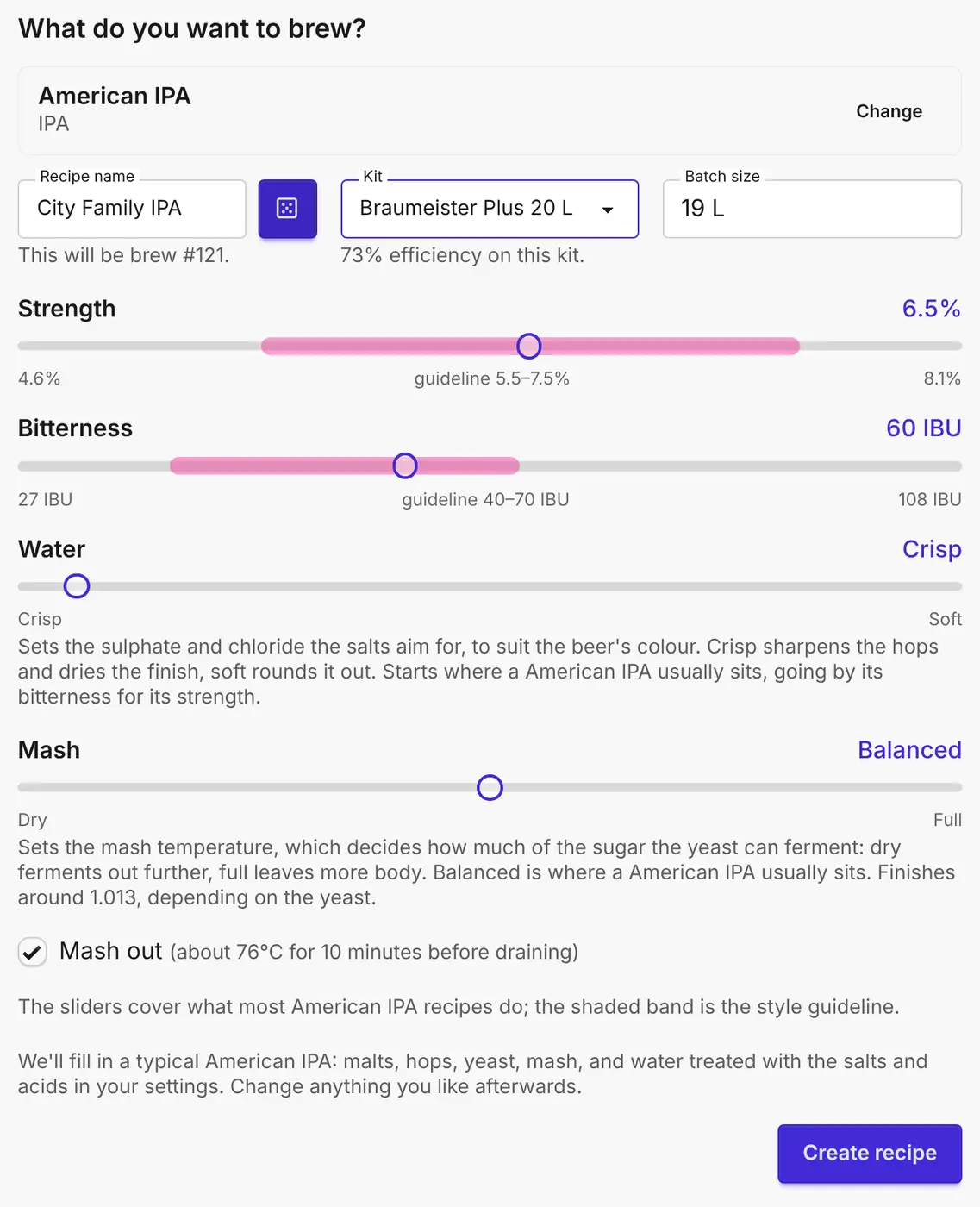
Once BrewBat knows your kit, a good beer is a few clicks away: choose a style, nudge a slider if you like, and press Create. You get a typical recipe for the style, sized to your kit. Want it stronger, more bitter or crisper? Move a slider. The style's range is shaded in, so you always know where you are.
All filled in
Nothing to look up
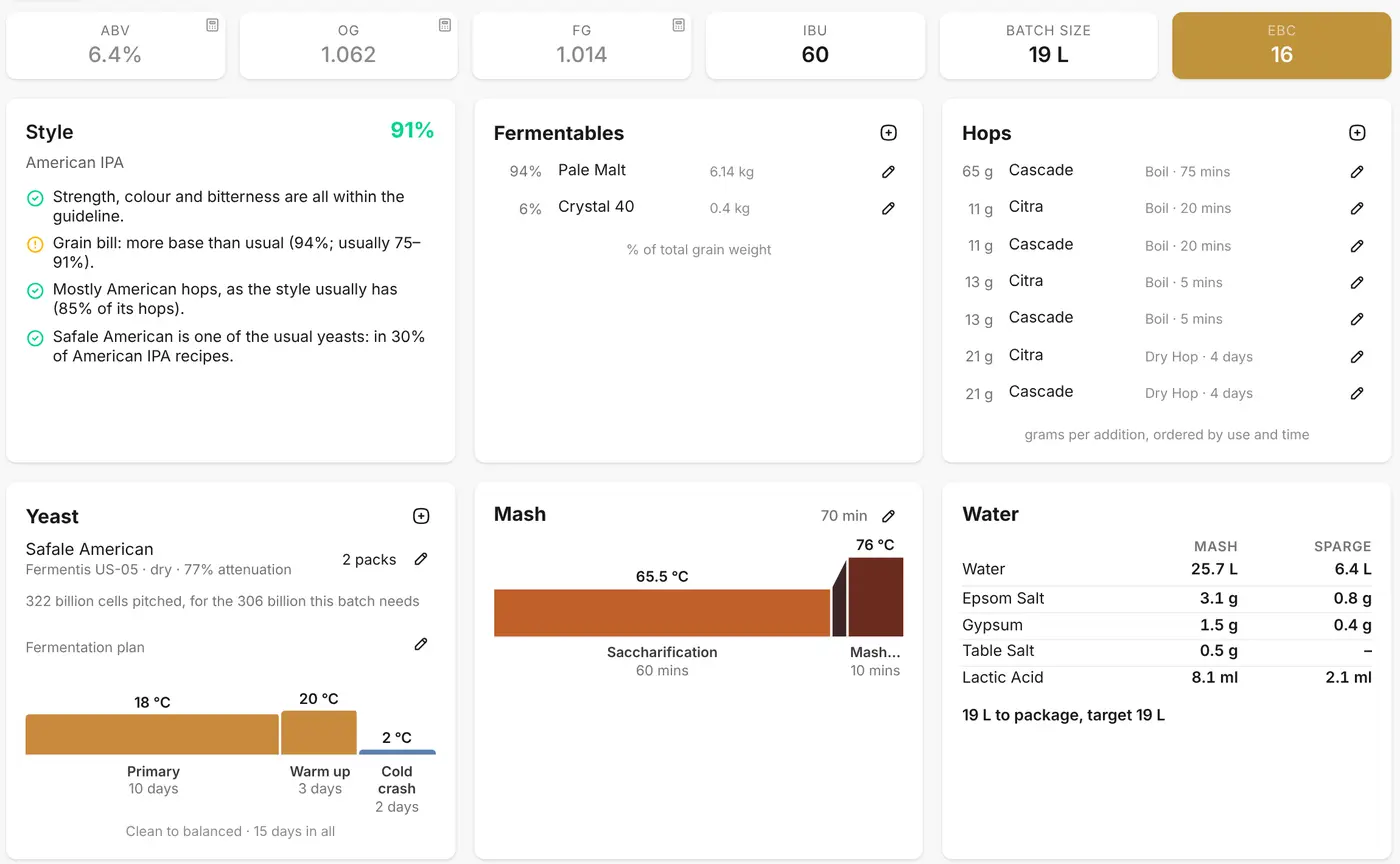
How much yeast to pitch, the mash temperatures, the fermentation plan, the salts and acid for the mash and the sparge: all worked out, and checked against the style. Change anything you like, but you don't have to.
Water and mash pH
Brewing water, handled
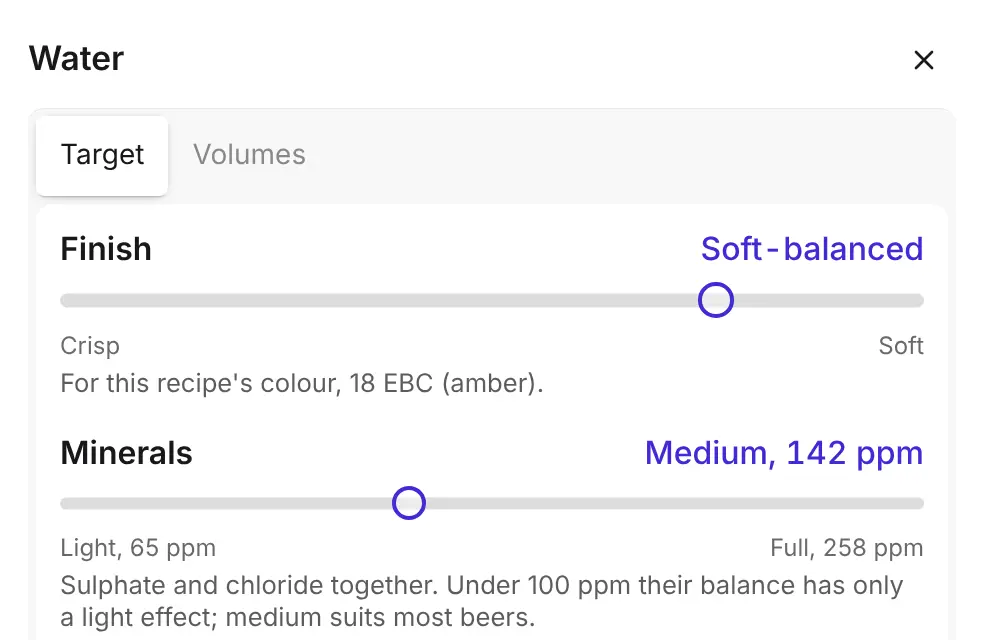
You don't need a water report. Tell BrewBat where you brew and it matches you to the nearest of more than 3,000 water reports, across the UK, the US, Canada, Australia and Europe. Then pick the finish you want, crisp to soft, and how much mineral, light to full. BrewBat works out the salts and acid that land the mash pH and suit the beer. No ppm tables, no spreadsheets. It follows every litre through the brew, too, so you end up with the beer you planned.
Brew day
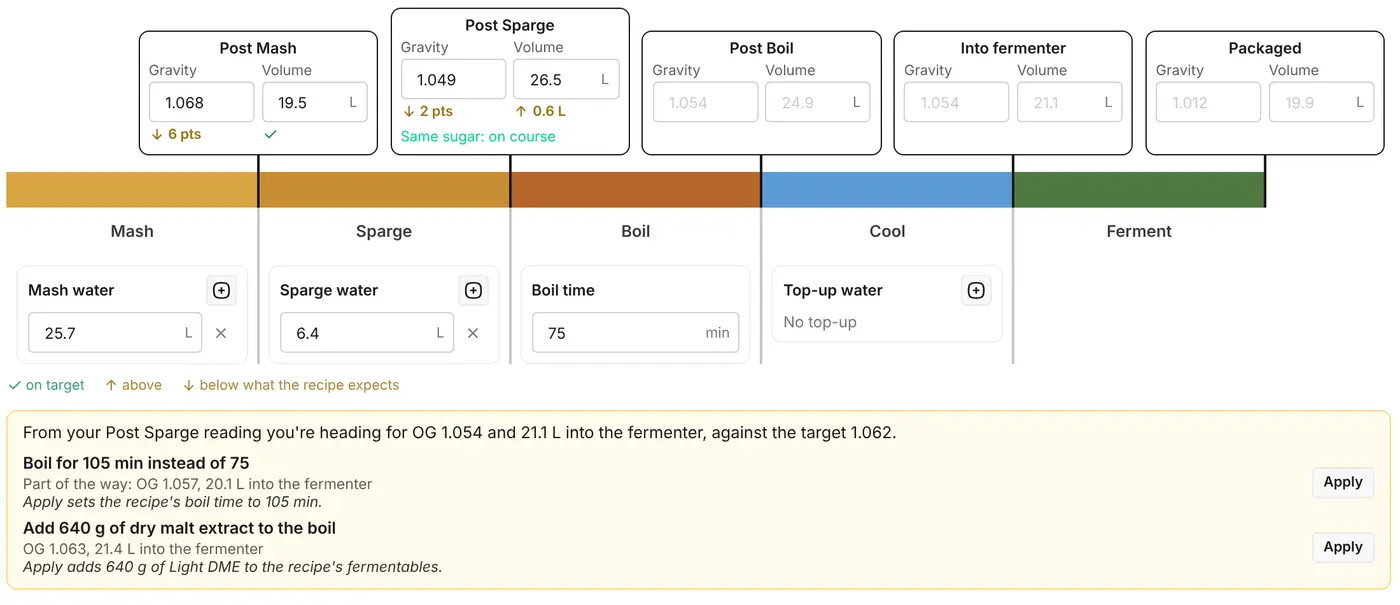
Missed your numbers? It tells you what to do
Enter your gravity and volume as you go. Running low? BrewBat tells you where you're heading, then how much longer to boil or how much malt extract to add to hit your target. One tap changes the recipe, and your kit's efficiency is learned for next time.
From your shelf
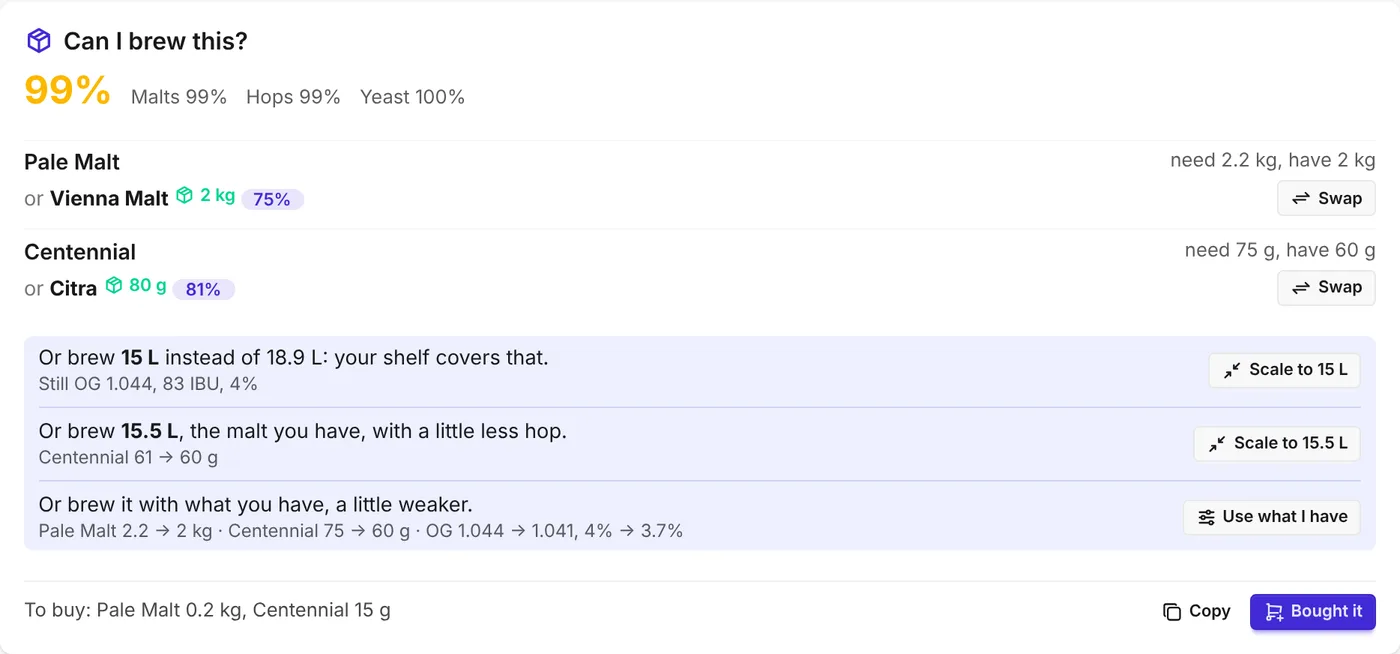
Brew from what you have
Keep your malt, hops and yeast in BrewBat and it shows which recipes you can brew now, which styles your shelf suits and what you'd need to buy, with the closest stand-ins you already have. Mark a brew as brewed and it comes off your stock.
What to expect
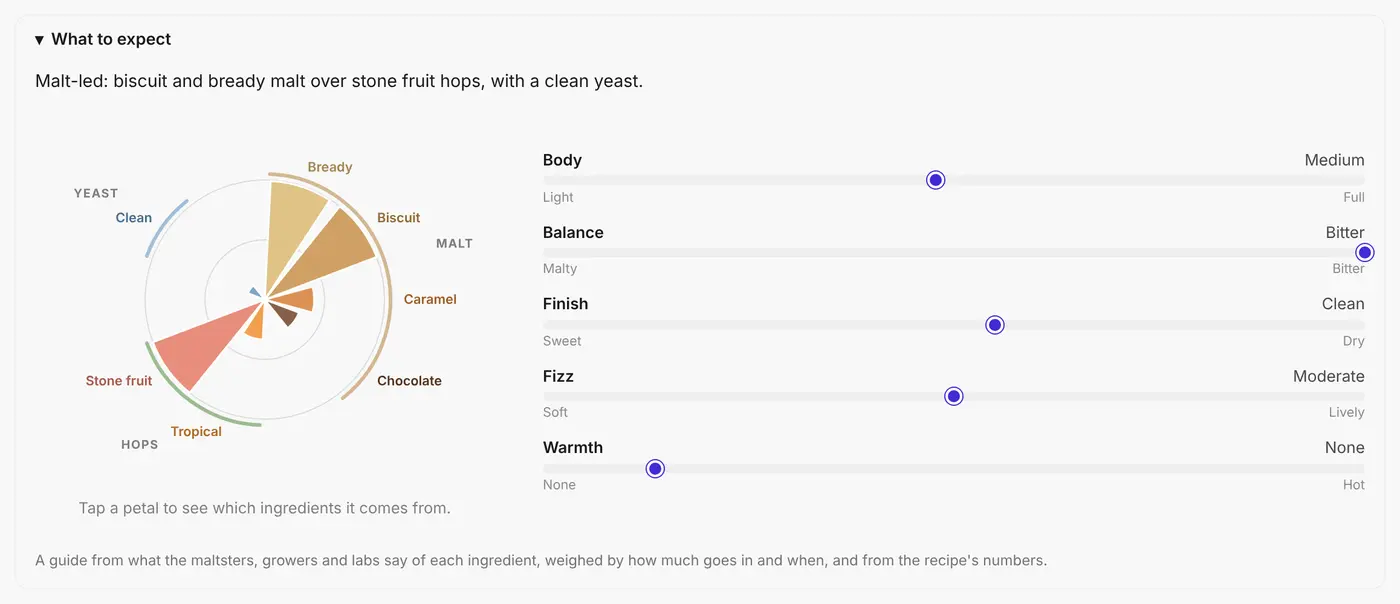
Know how it'll taste before you brew it
A flavour flower built from what the maltsters, growers and labs say about each ingredient, weighed by how much goes in and when. Body, balance, finish, fizz and warmth come from the recipe's own numbers.
Why BrewBat
Other brewing apps hand you a blank page
Open most brewing apps and you get an empty recipe and a list of a thousand ingredients. To fill it in you need to know what each malt does, how much hop goes in and when, which yeast suits the style and what your water needs. It's technical, and hard to get right without years of brewing behind you. They record what you decide; BrewBat starts you on a recipe that works, and does the sums.
Switching? Bring your recipes.
Import from Brewfather, BeerSmith, Grainfather or any app that exports BeerXML. Every malt, hop and yeast is matched to BrewBat's catalogue, the numbers are worked out again and each recipe is fitted to your kit, ready for Style Match and Auto fix. And you can export them again any time.
Explore
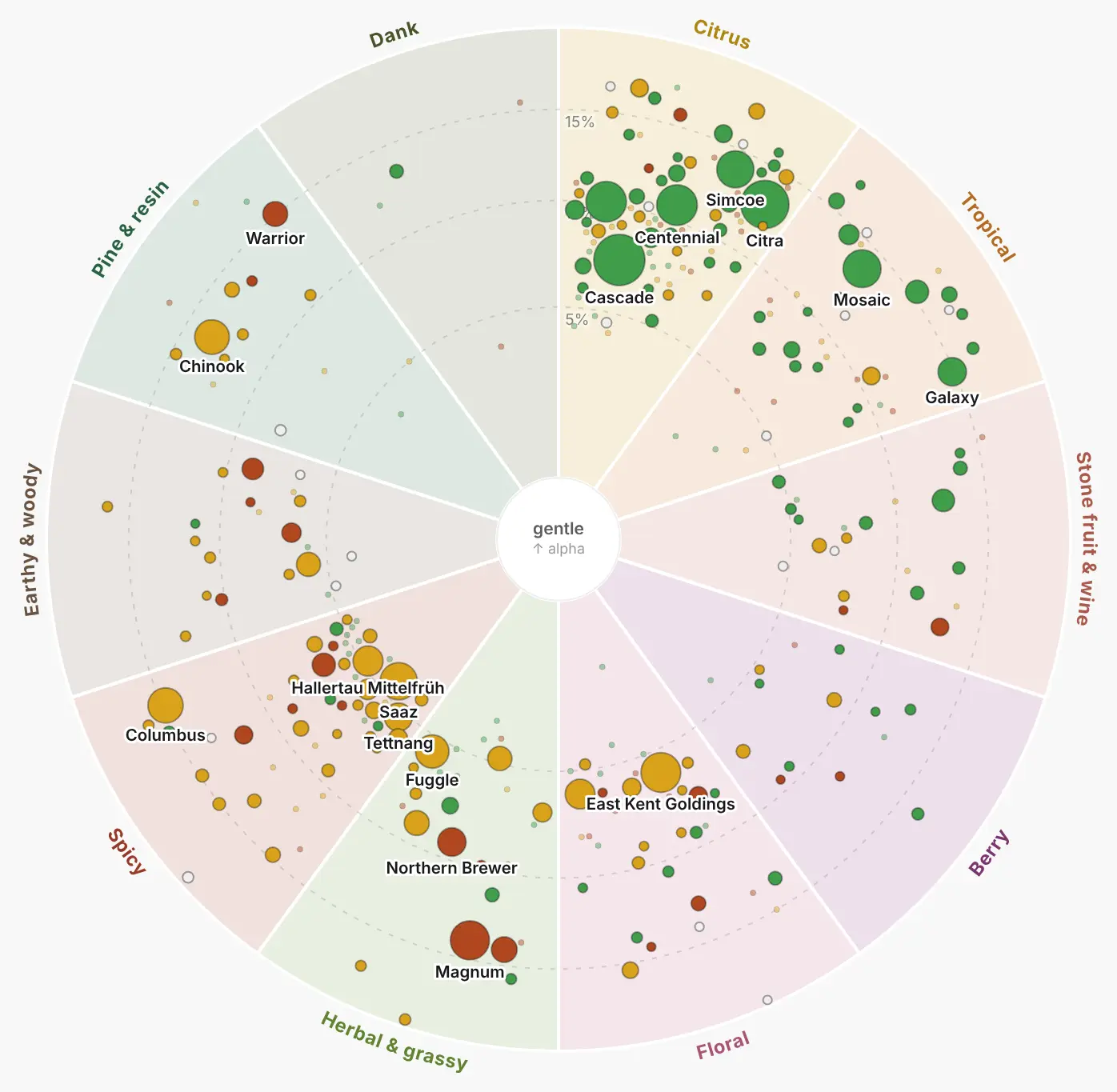
Every ingredient, mapped
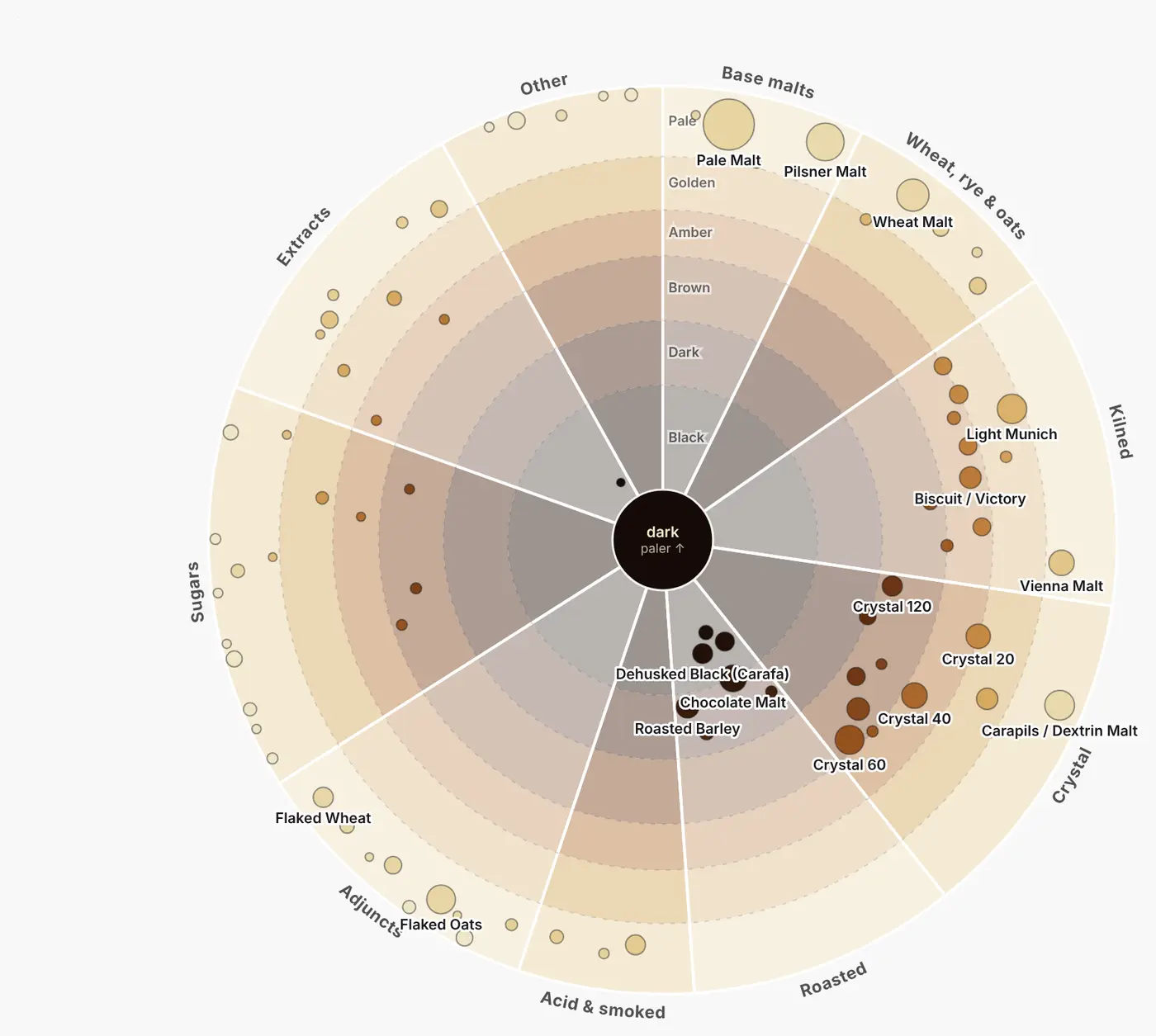
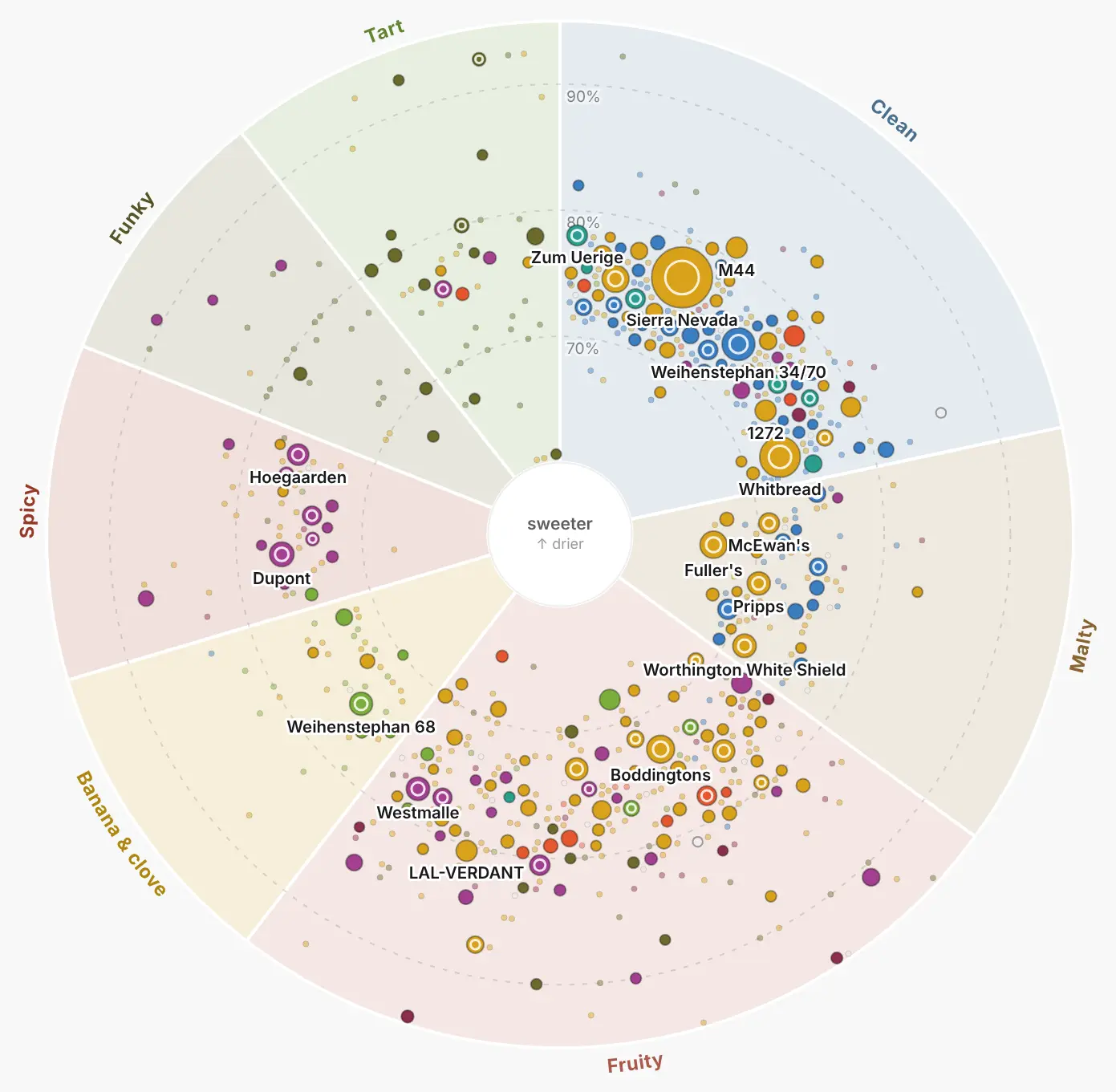
Curious what goes into a beer? Wheels of hops, malts and yeasts drawn from real recipes: bigger dots are brewed more often. Tap one to see its flavour, what it's used for and what it pairs with.
Styles
Find your next beer
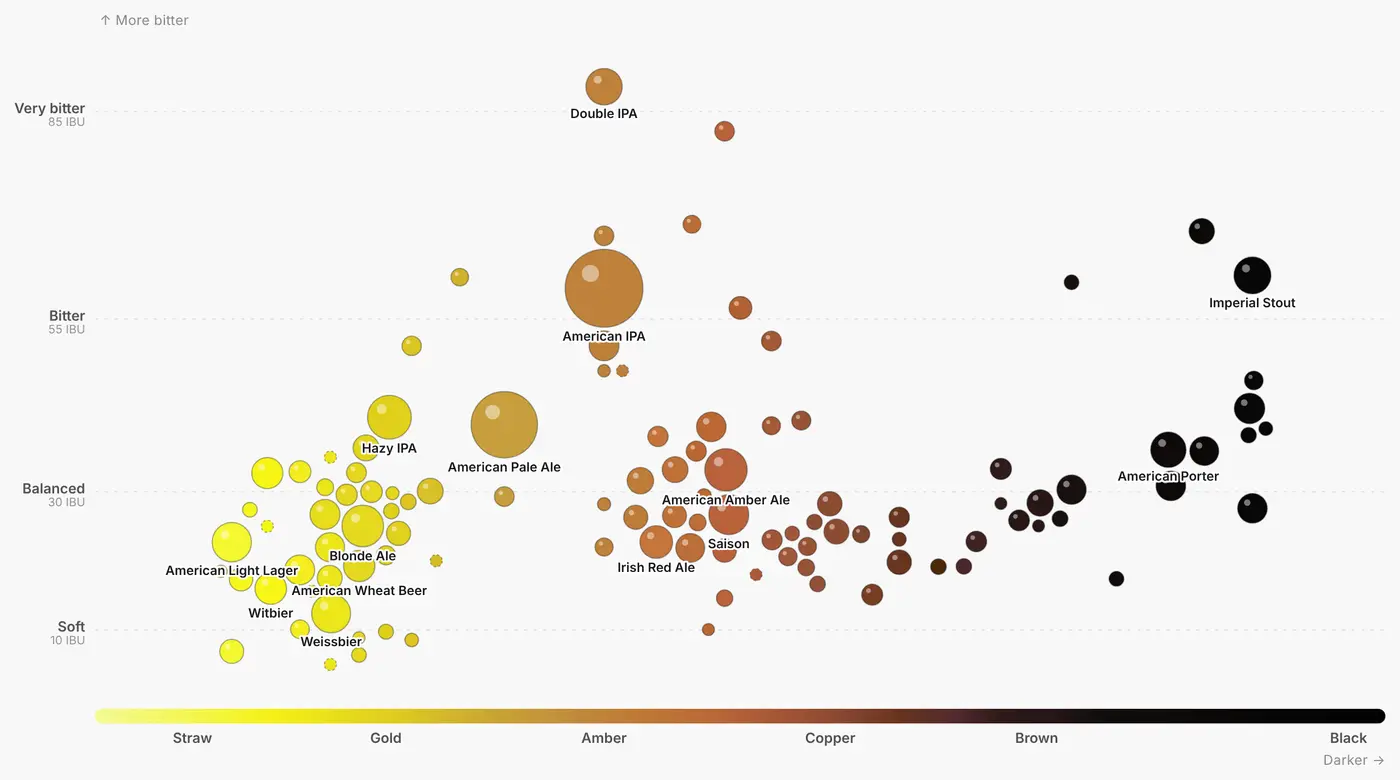
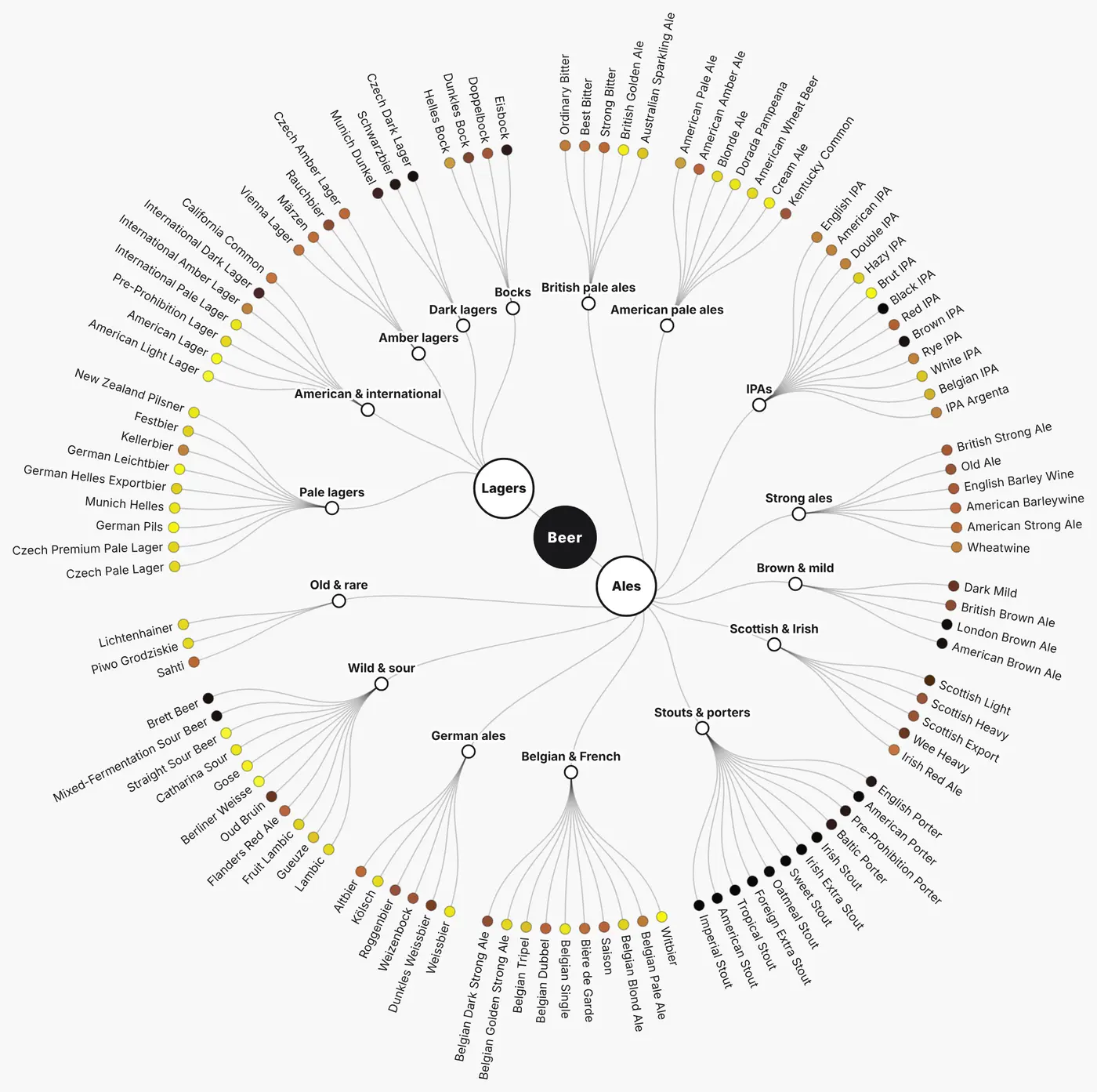
Every style in its real colour on the Beer Map, from straw to black and soft to very bitter, and a family tree of how they relate. Your own recipes show up on the map too, with the nearest styles named. Each style's page shows what its brewers really use, and a button to brew one.
And more
The rest of the brewing, handled
Smart swaps
Out of a hop, malt or yeast? Get the nearest substitutes, by flavour, origin and the styles they're brewed in, from your own stock first.
Yeast, sorted
How many packs to pitch, a starter when you need one, and a fermentation plan for the yeast and style.
Packaging
Bottles or keg: the priming sugar for the fizz you want, or the pressure to set.
Scale anything
Change the batch size or switch kit and the whole recipe follows.
Stock that steers
Your shelf decides what you can brew, what to swap and what to buy.
Share and print
A brew day sheet to print, a link to share, and your recipes as BeerXML or a full backup.
Fermentation log
Gravity and temperature on one chart, against the gravity the beer should finish at.
Your units
Metric or imperial, litres or gallons, °C or °F, EBC or SRM: each brewer sees their own.
Pro brewing, simplified.
BrewBat is in closed beta. Leave your email and we'll let you know when there's a place.
Join the beta